A recording studio an agent can actually drive
Not a plugin surface bolted on afterwards. The MCP server reaches the same reversible command log the editor reaches, which is the only reason an agent's edit behaves like yours.
45 tools across 5 scopes, loopback only
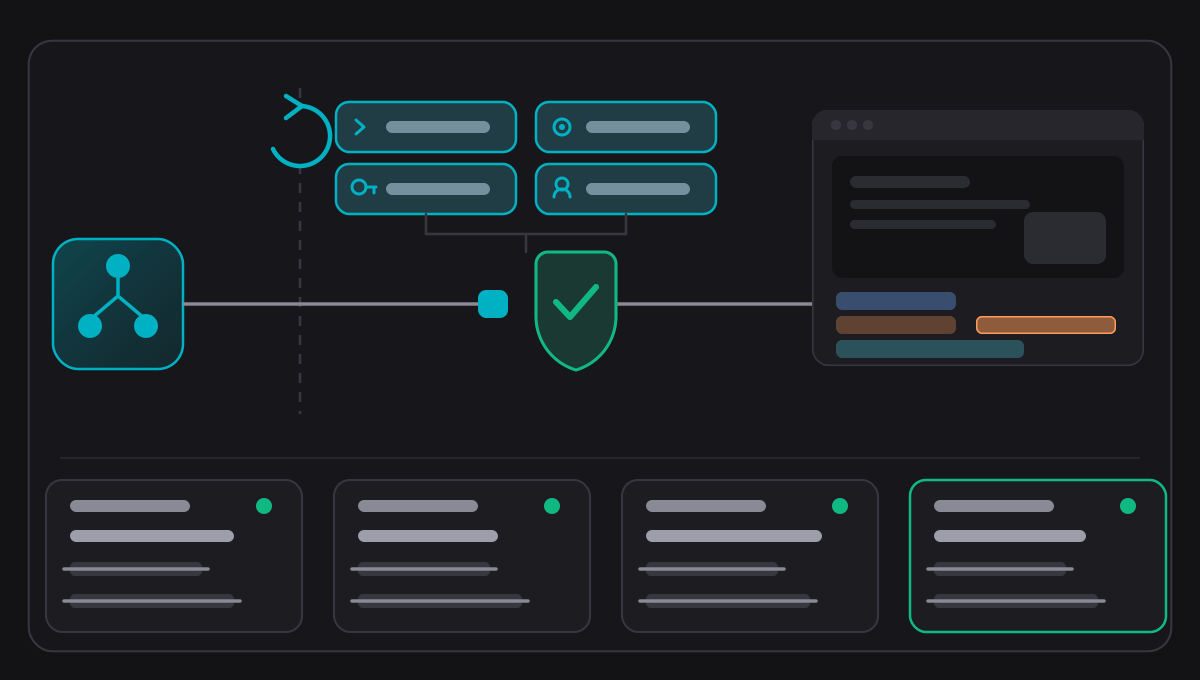
You grant them one at a time
A scope is a decision you make in Settings, beside the camera, the microphone and the screen, because what this Mac will hand over is a different question from how to attach a client to it.
camtalk.read13 toolsList recordings, read a project, read the timeline, read the state of the application. Nothing is changed.camtalk.record5 toolsConfigure a take, start it, pause it, resume it, stop it.camtalk.edit16 toolsApply editing commands and range operations to a project. The same 56 command kinds the editor uses, and 18 range operations.camtalk.export6 toolsStart an export, queue one, retry one, cancel one, and follow its progress.camtalk.admin5 toolsRead and change the server’s own policy: which transports are on, which scopes may be granted, and the limits.The scope names keep their old lowercase spelling because they are wire protocol: a client's configuration names them, and renaming a string a machine matches on is a different act from renaming a product.
The interesting part is what it refuses to do
An automation surface on a recording application is a surface that can turn on your camera. These are the constraints that make that acceptable.
Loopback only
Authenticated TCP on an ephemeral port and a Streamable HTTP endpoint, both bound to the loopback interface. There is no remote transport: no TLS, no OAuth, no pairing, no device posture. That is the security boundary, and it is stated rather than implied.
A token per launch
A 256-bit token from the system random source, compared in constant time, regenerated every start and blanked on stop. It is written to a file in your Application Support folder readable only by you, and the bridge refuses a descriptor that is not owned by the calling user or whose permissions grant anyone else access.
Authorized in the engine
Every request is decided from four things: the action, the state the application is in, the scopes you granted, and whether you are actually present at the Mac. That decision is a pure function in Rust with its own test suite, not a condition scattered through the transport.
Presence is measured
Console session, lock state and idle time, re-measured per request rather than cached. Pause and stop are the only actions permitted while you are away, deliberately, because de-escalating a recording should always be possible.
Idempotent by request id
Every mutating tool requires a request id. The result is cached per tool and id and replayed if the same call arrives twice, so a retry after a timeout does not record twice. A failed call is never cached, so a retry after a failure can still succeed.
Validated against the published schema
Every call is checked against the schema the server publishes, before the tool body runs, so the contract a client discovers and the contract the server enforces cannot drift apart.
Rate limited and bounded
Sliding window limits per connection and per session, a request body ceiling, a cap on concurrent jobs, idle session expiry, and an origin allowlist that refuses a null origin.
The audit log is metadata
A rotating log of timestamp, a bounded client id, the request id, the method, the tool and the outcome. Arguments, prompts, media, file paths, tokens and cancellation reasons are all excluded, and every field is length bounded and stripped of control characters.
A bridge inside the bundle
CamScribe ships a small standalone executable that bridges a host's stdio to the loopback listener. It resolves the connection descriptor itself, so a host that launches it never handles the token at all.
- 01Turn the server on and grant the scopes you want, in Settings.
- 02Point your MCP host at the bridge inside the application bundle.
- 03The bridge reads the descriptor from your Application Support folder, checks it is owned by you and not readable by anyone else, and connects to the loopback port.
- 04Every call is validated against the published schema, authorized in the engine, rate limited, and recorded as metadata.
The token is shown masked in Settings and can be copied without being revealed, and a revealed token re-masks itself when a recording starts and says that it did. That is not decoration: CamScribe records screens, and the person demonstrating how to connect an agent is often the person who has turned on recording of the application's own windows.
What an agent cannot reach
These are exclusions rather than gaps. Each one is a decision with a reason behind it.
- Search across recordings. A search tool that returned passage text would undo the decision to report a caption’s length rather than its words.
- The transcript itself. The timeline surface reports how long a caption is, not what it says.
- Anything that would need a permission CamScribe does not hold. It holds no Accessibility grant and no Input Monitoring grant, and an agent cannot obtain one through it.
The product keeps a coverage matrix that lists, tool by tool, which of the application's capabilities this surface reaches, which it does not, which are deliberately outside it, and which defects have been found in it. That document is the authority, not this page.
CamScribe is in development. Come and break it.
It is built, it is tested, and it has never met your hardware. If you record on a Mac and you would rather tell us what is wrong than wait for it to be finished, ask Olib AI for a build.